Reports: see how the business is going
Reports show enquiries, missed calls, quotes won, jobs completed, money invoiced and owed, and job profit for the period you choose.
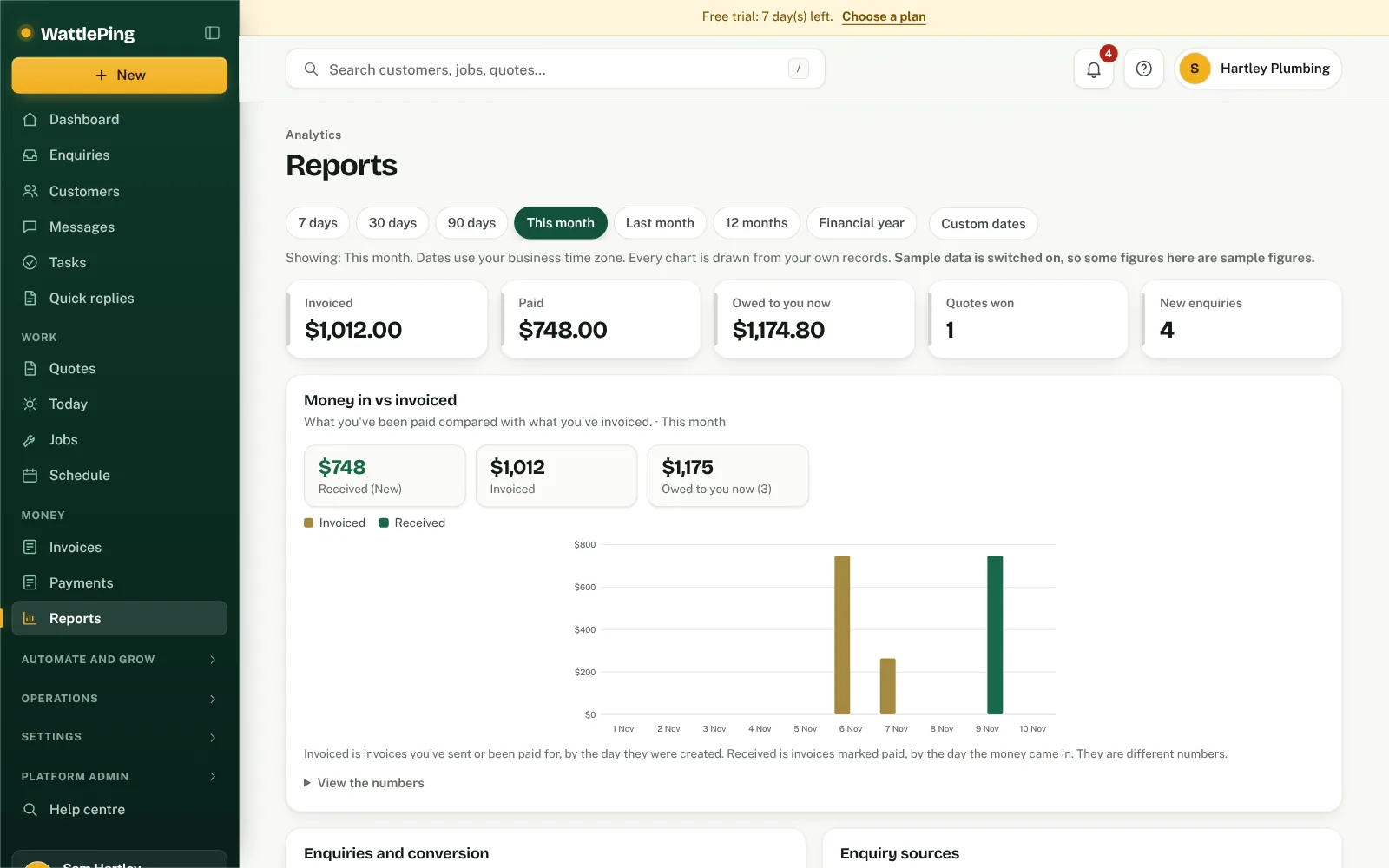
Open Reports in the left menu and choose the period at the top: 7, 30 or 90 days, this month, last month, 12 months, the financial year, or your own Custom dates. Dates use your business time zone. A row of headline figures sits under the dates (invoiced, paid, owed to you now, quotes won and new enquiries for the period), followed by the charts. Detailed figures at the bottom expands to every number behind the charts.
Charts
The top of Reports has interactive charts. Hover over (or tap) any bar, line or slice for the exact numbers, and open View the numbers under a chart to see them as a table.
- Money in vs invoiced. *Invoiced* is what you've sent or been paid for, by the day it was created. *Received* is what's marked paid, by the day it was paid. They are different numbers on purpose.
- Enquiries and conversion, with a funnel from enquiry to contacted, quoted and booked.
- Enquiry sources, and which turn into booked work.
- Quote acceptance, Jobs, Customers (new, first-time payers and returning) and Business activity (switch between weekly and monthly).
- Outstanding invoices by how far past due they are, as at today.
- Extra charts for your trade, such as most requested services, average job value and the labour and materials mix. Choose which to show under Choose extra charts for your trade.
Every chart uses only your own records, so an empty chart means nothing has been recorded for that period yet.
What you'll see
- New enquiries, missed calls, how many were texted back automatically, and how many missed callers replied. Also where enquiries came from.
- Enquiry pipeline: how many enquiries you marked booked, the percentage that became work, which sources turn into work, your most requested services, how quickly the first text goes back, and enquiries per week. Customers shows how many paid you before. These only count what's recorded in WattlePing, so calls and replies made elsewhere aren't included.
- Quotes sent, quotes won, win rate (won versus declined) and jobs completed.
- Money: invoiced, paid, owed to you now and overdue.
- Job profit: revenue on costed jobs, costs and profit, with the lowest margins first and a count of completed jobs with no costs yet.
- Money in, last 6 months, and top customers by money paid.
- Needs attention: stock at or below its reorder level, and vehicles or tools due for service.
Making the numbers useful
- Keep enquiry statuses up to date.
- Add costs to jobs so profit is real.
- Mark invoices paid as the money arrives, so "owed" is accurate.
Common questions
Who can see reports?
The owner and office admins.
Can't find it?
The assistant answers from these articles and tells you when it isn't sure. If it can't help, it passes your question to the team.