How to choose quoting and invoicing software for your trade
Choose quoting and invoicing software by what it saves you: fast quotes with GST handled, tax invoices with your ABN, payment links, automatic reminders and a clean phone experience. Test it on a real job before you commit, and check pricing, support and whether you can export your data.
There are many apps, and most look similar until you use them on a job. This checklist helps you compare them fairly.
- Choose what you will use on site.
- Test a real quote and a tax invoice.
- Check you can export your data and cancel.
What matters most
Choose the one you will actually use on site. A powerful tool you avoid is worse than a simple one you love.
Use the checklist
What to look for in quoting software
0 of 8 done. Your ticks stay on this device.
Test before you commit
- Start a free trial.
- Make a real quote and send it to yourself.
- Make a tax invoice and check it against the tax invoice rules.
- Try it on your phone, in the sun, with dirty hands.
Watch the pricing
Check the price in AUD, what is included, what counts as an extra user and whether you are locked into a long contract.
Tip. Ask how to export your data before you sign up. You should be able to leave.
About WattlePing
WattlePing is built for Australian trades: quotes customers accept from a link, tax invoices and automatic payment reminders, with a free trial that needs no card.
Questions to ask before you pay
- What is the price per user and what is extra?
- Can customers accept and pay from their phone?
- Does support answer quickly and in Australia?
- Can I cancel any time?
Start small
Do not try to move your whole business in a day. Send your next three quotes and invoices from the new tool, see how customers react, and then move over the rest.
A comparison scorecard
| Feature | Why it matters | Questions to ask |
|---|---|---|
| Quote builder | Saves time on every job | Can I save items and prices? |
| Tax invoices | Compliance and tidy records | Does it show my ABN and GST correctly? |
| Payments | Faster cash flow | Which payment methods and what fees? |
| Reminders | Fewer late payers | Are they automatic and customisable? |
| Mobile use | You work on site | Is it fast on a phone? |
| Support | Problems happen | Who answers and when? |
| Pricing | Ongoing cost | Any setup fees, per-user fees or contracts? |
| Data export | Avoid lock-in | Can I download everything? |
Run a real-world trial
- Pick a real jobUse a recent one you know the numbers for.
- Build the quoteTime it, and note what annoys you.
- Convert to an invoiceCheck ABN and GST.
- Send it to yourselfSee what the customer sees.
- Test a payment and a reminderMake sure they work.
- Ask support a questionSee how fast and how helpful they are.
A fair note on WattlePing
WattlePing is our own product, so weigh this section accordingly. It is built in Australia for tradies and handles quotes, tax invoices, payment links, reminders and missed-call text-backs. It has a free trial with no card needed, so you can run the real-job test above and decide for yourself. Whatever you pick, use the scorecard and trial the same way for each option.
Mistakes when choosing software
- Picking the cheapest without checking GST handling.
- Signing a long contract before a proper trial.
- Choosing tools built for office staff that are clumsy on a phone.
- Not checking whether you can export your data.
- Paying for features you will never use.
A real-life scenario
A plumber trialled two apps by quoting the same recent job in each. One took four minutes and sent a clean quote with his ABN and GST. The other needed twenty minutes and several screens. He also tested a payment link and a reminder. The choice was obvious in an afternoon, and he started on the free trial before paying anything.
Test on your own jobs, not the demo.
Quick answers
Do I need software?
Not strictly, but it saves hours and makes you look organised.
What about my existing spreadsheets?
Many tradies start by importing a customer list and keep going from there.
Do I need software to run a trade business?
No, but it saves time and looks professional. Even a good template and spreadsheet can work to start.
What should I pay for tradie software?
Compare monthly cost with the hours it saves and the late payments it prevents.
Is free software good enough?
Sometimes, especially to start. Check limits, branding and whether it handles GST correctly.
Can I switch software later?
Yes, if you can export your customers and invoices. Check this before you commit.
Share this infographic
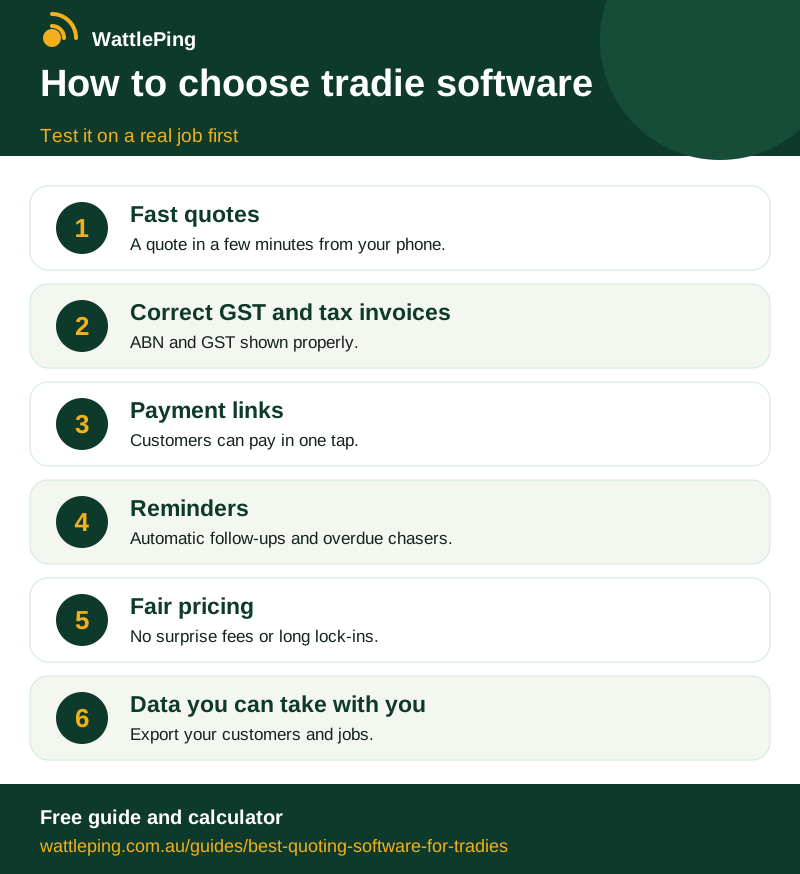
Free to share with a link back. Copy the code below to embed it on your site.
CopiedKeep reading
More in Running the business: Job costing: did that job actually make money? · How many jobs do you need to break even? · A weekly admin routine that takes under an hour · Paying super for your employees, simply explained · Starting a trade business in Australia: the setup checklist. All guides, WattlePing features, pricing.