A simple website that gets the phone ringing
A tradie's website needs a clear headline, your services, your service area, your phone number, real photos, reviews and a simple enquiry form, on a fast mobile-friendly page. It does not need animations, long stories or dozens of pages.
A good tradie website is small and clear. Customers want to know what you do, where you work and how to reach you.
- Show what you do, where, and your phone number.
- Use real photos and reviews.
- One page per main service.
The essentials
- What you do, in plain words.
- The suburbs or regions you cover.
- Your phone number at the top, tappable on mobile.
- Photos of real jobs.
- Reviews or testimonials from real customers.
- Your licence number where your state requires it.
- A simple enquiry form.
Make it fast and mobile friendly
Most visitors are on a phone, sometimes on a bad connection. Keep pages light and buttons big.
One page per service
A separate page for each main service, such as 'hot water repairs' or 'switchboard upgrades', helps people and search engines understand what you offer.
Capture enquiries properly
Send form enquiries somewhere you will see them quickly, ideally straight into your enquiry inbox.
Tip. Say what happens next: 'We reply within a business day.'
What to leave out
- Stock photos of people who are not you.
- Long paragraphs about the company history.
- Autoplaying videos and pop-ups.
- A phone number buried at the bottom.
Keep it findable
Use the suburbs you work in on your service pages, and make sure your business name, address and phone number match your Google profile everywhere.
The must-haves
| Element | Why it matters |
|---|---|
| Headline with trade and area | Visitors and Google know what you do. |
| Click-to-call button | Most trade enquiries are calls. |
| Services list | People search for specific services. |
| Service area | Shows you cover their suburb. |
| Licences and insurance | Builds trust. |
| Reviews and photos | Proof of quality. |
| Enquiry form | Captures people who do not want to call. |
Page structure that ranks
- Home pageTrade, area, call button and proof.
- One page per main serviceDescribe the service and common problems.
- Service area pageList suburbs in normal sentences.
- Gallery or projectsReal photos with short captions.
- Contact pagePhone, email, form, hours and licence number.
Cost and effort
A good tradie site does not need a big budget. Many tradies use a simple builder or a template and spend a weekend filling it in. What matters is the content: accurate details, real photos and quick enquiry handling. A slow, empty site loses to a tidy one-page site with real reviews.
Tip. Make sure the details match your Google Business Profile exactly: name, phone number and service area.
Mistakes on tradie websites
- No phone number on the first screen.
- Slow pages with huge photos.
- A contact form that asks for twenty things.
- Out-of-date services, prices or hours.
- No mention of suburbs served.
A real-life scenario
A roofer's website had beautiful photos but took eight seconds to load on a phone and had the phone number in the footer. He compressed the images, put a tap-to-call button at the top and wrote a short paragraph per service. Enquiry calls from the site roughly doubled in a month, with no new design.
Speed, a visible call button and clear services beat a flashy layout.
Quick answers
Do I need a website if I have a Google profile?
It helps, especially for building trust and ranking for more searches.
How much should it cost?
A simple site can be inexpensive. Be wary of long contracts.
Do tradies need a website in 2026?
It is not essential if your Google profile is strong, but a simple site builds trust and gives you more places to appear.
How many pages does a tradie site need?
Often five to ten: home, services, areas, gallery, about and contact.
Should I use a website builder?
For most tradies, yes, if it is fast on mobile and lets you edit easily.
What should I put on the home page?
Your trade, area, phone number, a few photos and some reviews.
Share this infographic
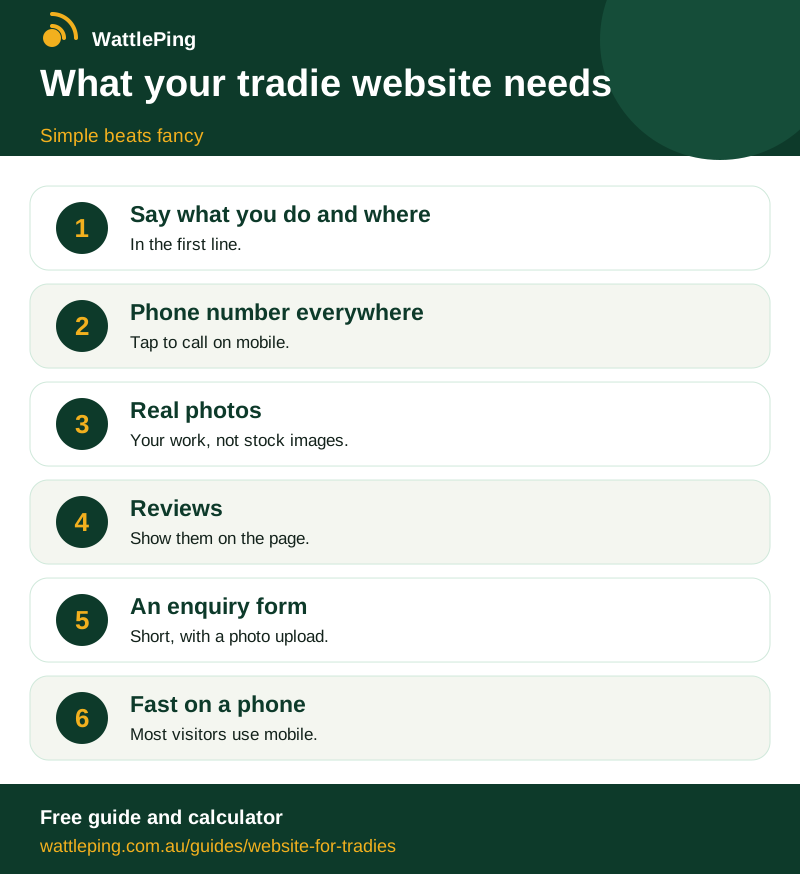
Free to share with a link back. Copy the code below to embed it on your site.
CopiedKeep reading
More in Winning customers: How to get more Google reviews without being awkward · Google Business Profile for tradies: set it up and rank higher · How to answer enquiries faster when you are on the tools · How tradies get more jobs online without paying a fortune · Turn one job into years of work. All guides, WattlePing features, pricing.