Google Business Profile for tradies: set it up and rank higher
A Google Business Profile is a free listing that puts your trade business on Google Search and Maps. Choose the right categories, set your service area, add real photos, collect reviews and keep your details accurate to appear in local searches like 'plumber near me'.
When someone searches 'electrician near me', Google shows a map and three businesses first. Getting into that group can be worth more than any website. It costs nothing, takes an hour to set up and, done well, becomes your best source of work. This guide covers the setup, the settings that matter and the habits that keep you ranking.
- It is free and it is often the top result for local searches.
- Primary category, service area and accurate details matter most.
- Reviews are a major trust and ranking factor.
- Keep photos, hours and posts fresh.
What it is and why it matters
Google Business Profile (formerly Google My Business) is the listing that appears on Google Maps and in the local results when people search for a service near them. For trades, many enquiries start there: people tap the call button directly. A complete, active profile gives you free visibility, and it also helps your website show up.
Set it up
- Sign in and add your businessUse a Google account you control, and search for or add your business name.
- Choose a main categoryPick the one that best describes your main trade. It carries the most weight.
- Add secondary categoriesOnly those that truly apply, for example Gas fitter or Drainage service.
- Set a service areaFor tradies who travel to customers, list the suburbs you cover instead of showing a home address.
- VerifyGoogle will ask you to confirm you own the business, by video, phone or code.
- Fill in everythingHours, phone, website, services and a short description.
What helps you rank
Google describes local ranking as depending on relevance, distance and prominence. In practice, that means you should:
- Choose accurate categories and describe your services in plain words.
- Keep your name, address and phone the same everywhere online.
- Collect reviews regularly and reply to them.
- Add real photos of your work.
- Have a website that matches your profile.
| Factor | What you control |
|---|---|
| Relevance | Categories, services, description. |
| Distance | Your service area and accurate location. You cannot control where the searcher is. |
| Prominence | Reviews, website, and how known your business is. |
Reviews are the biggest lever
Customers choose between the first few businesses mainly on reviews. Ask every happy customer, and make it easy by sending a direct link. Reply to each review, good or bad, in a calm, professional tone. See how to ask for Google reviews.
Watch out. Do not buy reviews, offer rewards for reviews or write your own. It breaks Google's rules and can get your profile suspended.
Review request writer
A friendly message that asks for a Google review without pressure.
- Message
Copied
General guide only. Check your own numbers and, for tax, ask your accountant.
Photos and posts
- Add real photos of finished jobs, your team and your vehicle.
- Add before and after shots where the customer agrees.
- Post occasional updates: a finished job, a seasonal tip, an offer.
- Avoid stock photos.
Tip. Photos with a clear subject, taken in good light, get noticed. A phone is fine.
A monthly routine
- Check your detailsHours, phone and service area still right?
- Reply to new reviewsThank people and address any issues.
- Add two or three photosFrom recent jobs.
- Ask for reviewsFrom jobs completed this month.
- Answer questionsReply to messages and questions quickly.
Common mistakes
Google's guidelines are published in its help centre. Follow them closely to avoid a suspension.
- Listing a home address publicly when you serve customers at their site.
- Keyword stuffing the business name. Use your real name.
- Picking too many categories.
- Ignoring reviews or replying angrily.
- Leaving old hours up.
What to write in your description
Use the description to say, in plain words, what you do, where you do it and what makes you reliable. Avoid keyword stuffing. A good example: 'Local licensed electrician servicing the inner west of Sydney. Switchboard upgrades, lighting, power points and fault finding. Fast quotes and tidy work.' Add your licence details if relevant, which builds trust.
List your services individually, with a short description for each. Google uses this to understand which searches you should appear for, and customers use it to check you do the job they need.
Tip. Write it the way you would explain your business to a new customer on the phone.
Answering missed enquiries
Many people message or call a few businesses at once and go with whoever answers first. A strong profile that brings in calls is wasted if they go to voicemail while you are on the tools. Set up a way to answer quickly, whether that is a missed call text back, a call forwarding arrangement or an assistant. Speed is the cheapest way to turn visibility into jobs.
Quick answers
Is Google Business Profile free?
Yes. Creating and managing a profile costs nothing.
Do I need a shopfront?
No. Service-area businesses can hide their address and list the areas they serve.
How long does verification take?
It varies. Follow the on-screen steps and check your email and phone.
How do I get more reviews?
Ask every happy customer, soon after the job, and send a direct link.
Can I reply to a bad review?
Yes, calmly and professionally. Offer to fix the issue offline.
Do I need a website too?
It helps. A simple site that matches your profile builds trust and gives Google more to go on.
How long to see results?
Some tradies see calls within weeks. Rankings improve as reviews and activity build.
Can I have more than one profile?
Only for separate, genuine locations or businesses. Duplicates break the rules.
Share this infographic
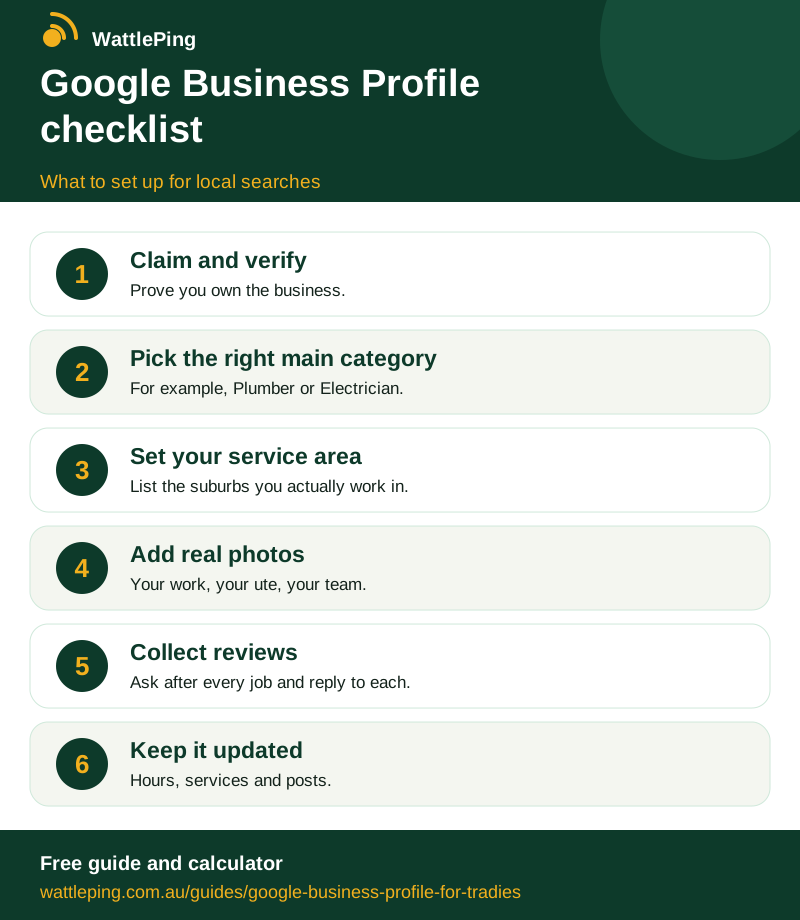
Free to share with a link back. Copy the code below to embed it on your site.
CopiedSources and further reading
This guide is general information, not legal, tax or financial advice. Rules change and differ by state, so check with the ATO, your state regulator or your accountant before you act.
Keep reading
More in Winning customers: How to get more Google reviews without being awkward · How to answer enquiries faster when you are on the tools · How tradies get more jobs online without paying a fortune · Turn one job into years of work · A simple website that gets the phone ringing. All guides, WattlePing features, pricing.