How to get more Google reviews without being awkward
Ask for a Google review at the end of a job while the customer is happy, using a short personal message with a direct link. Make it easy, ask every customer, reply to every review and never offer rewards or write your own.
When someone searches for a plumber or sparky, reviews are often the deciding factor. Most happy customers never leave one because nobody asked.
- Ask straight after a good job.
- Send a direct link by text.
- Never buy or write reviews.
Ask at the right moment
Ask when the customer is happiest: right after the job is finished and they have seen the result. Waiting a week halves your chances.
Write your message
Review request writer
A friendly message that asks for a Google review without pressure.
- Message
Copied
General guide only. Check your own numbers and, for tax, ask your accountant.
Make it easy
- Send a direct link to your Google review page.
- Ask by text, since people reply to texts.
- Keep it to two or three sentences.
Tip. In Google Business Profile you can copy a link that opens the review box directly.
Rules to follow
Never pay for reviews, never write them yourself and never only ask happy customers while hiding the rest. Google and consumer law both frown on fake or selectively gathered reviews.
Reply to every review
A short, warm reply to each review, including the tricky ones, shows future customers you care.
Ideas for making it routine
- Add the review request to your job-complete checklist.
- Send it from your phone while you pack up.
- Include the link at the bottom of every invoice.
Message templates
'Hi [Name], thanks for choosing [Business] today. If you were happy with the work, a quick Google review would really help us. Here's the link: [link]. Thanks!'
'Hi [Name], thanks again for having us out. If you have a minute, could you leave a short review? It helps other locals find a reliable tradie. [link]'
'Glad you're happy with it. Would you mind leaving a quick Google review? I'll text you the link now.'
How to get your review link
- Sign in to your Business ProfileUse the Google account that manages it.
- Find 'Ask for reviews'Google provides a shareable link.
- Copy the linkSave it on your phone.
- Add it to your quote and invoice emailsSo it goes out automatically.
- Test itOpen it on your phone to check it works.
Replying to reviews
| Review | How to reply |
|---|---|
| Positive | Thank them by name and mention the job. |
| Positive but short | A brief thanks is fine. |
| Negative and fair | Acknowledge, apologise and offer to fix it offline. |
| Negative and unfair | Stay calm, state the facts briefly and offer to talk. |
| Fake or abusive | Report it to Google and do not argue. |
Watch out. Do not offer discounts or gifts in exchange for reviews, and do not review your own business. It breaks Google's rules and can get your profile restricted.
Mistakes when asking for reviews
- Asking weeks after the job when the customer has moved on.
- Sending a long message with a link buried in it.
- Only asking customers you think will say yes.
- Offering discounts or gifts for reviews.
- Ignoring the reviews once you have them.
A real-life scenario
An air conditioning installer had 11 reviews after eight years in business. He added a line to the end of his invoice email with a direct review link and started texting it on the day of each job. Six months later he had more than 50 reviews and noticed that new customers mentioned them when they called.
The change was not a clever script. It was asking every customer, every time, in a way that took five seconds to act on.
Quick answers
How many reviews do I need?
There is no magic number. Steady new reviews matter more than a pile at once.
What if I get a bad review?
Reply calmly, offer to fix it offline and move on. Future customers judge how you respond.
How many reviews do I need?
There is no magic number, but more recent, genuine reviews help. Aim to ask every customer.
Can I ask customers to leave 5 stars?
Ask for an honest review. Asking for a particular rating can break the rules.
What if a customer leaves a bad review?
Reply calmly and offer to resolve it. Many customers respect a professional response.
Can I remove a bad review?
Only if it breaks Google's policies. Otherwise reply professionally.
Share this infographic
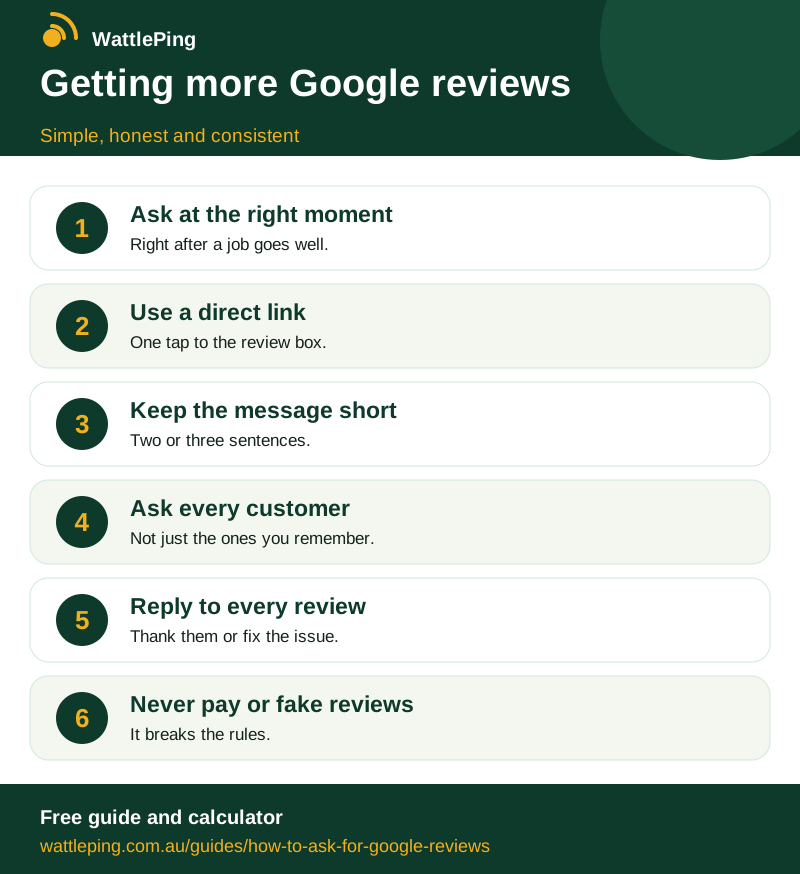
Free to share with a link back. Copy the code below to embed it on your site.
CopiedSources and further reading
This guide is general information, not legal, tax or financial advice. Rules change and differ by state, so check with the ATO, your state regulator or your accountant before you act.
Keep reading
More in Winning customers: Google Business Profile for tradies: set it up and rank higher · How to answer enquiries faster when you are on the tools · How tradies get more jobs online without paying a fortune · Turn one job into years of work · A simple website that gets the phone ringing. All guides, WattlePing features, pricing.