Home / Example job
See a job go from quote to paid
This is what a removals job looks like in WattlePing, step by step, including exactly what your customer sees. The business, customer and prices are examples. You set your own prices.
1. You send the quote
Build it from your quick items in a couple of minutes, then send the link by email, copy it into a message, or text it with the Phone number add-on.
2. Your customer opens it on their phone
Example
Your Business NameABN on every quote
Quote Q-1001
Prepared for Sam (example customer)
| Truck and two movers (per hour) × 2 | $240.00 |
| Extra mover (per hour) × 2 | $190.00 |
| Packing materials | $185.00 |
| Subtotal | $615.00 |
|---|---|
| GST | $61.50 |
| Total | $676.50 |
They type their name and tap Accept. No app, no login, no printing. If they don't answer, WattlePing can send two polite check-ins and then stop. That's quote chasing, and it's off until you switch it on.
3. The accepted quote becomes a job
It lands on your schedule with your removals checklist attached, ready to assign to the right person:
- Confirm inventory and access
- Pack and protect items
- Load truck
- Unload and place items
- Damage check and sign-off
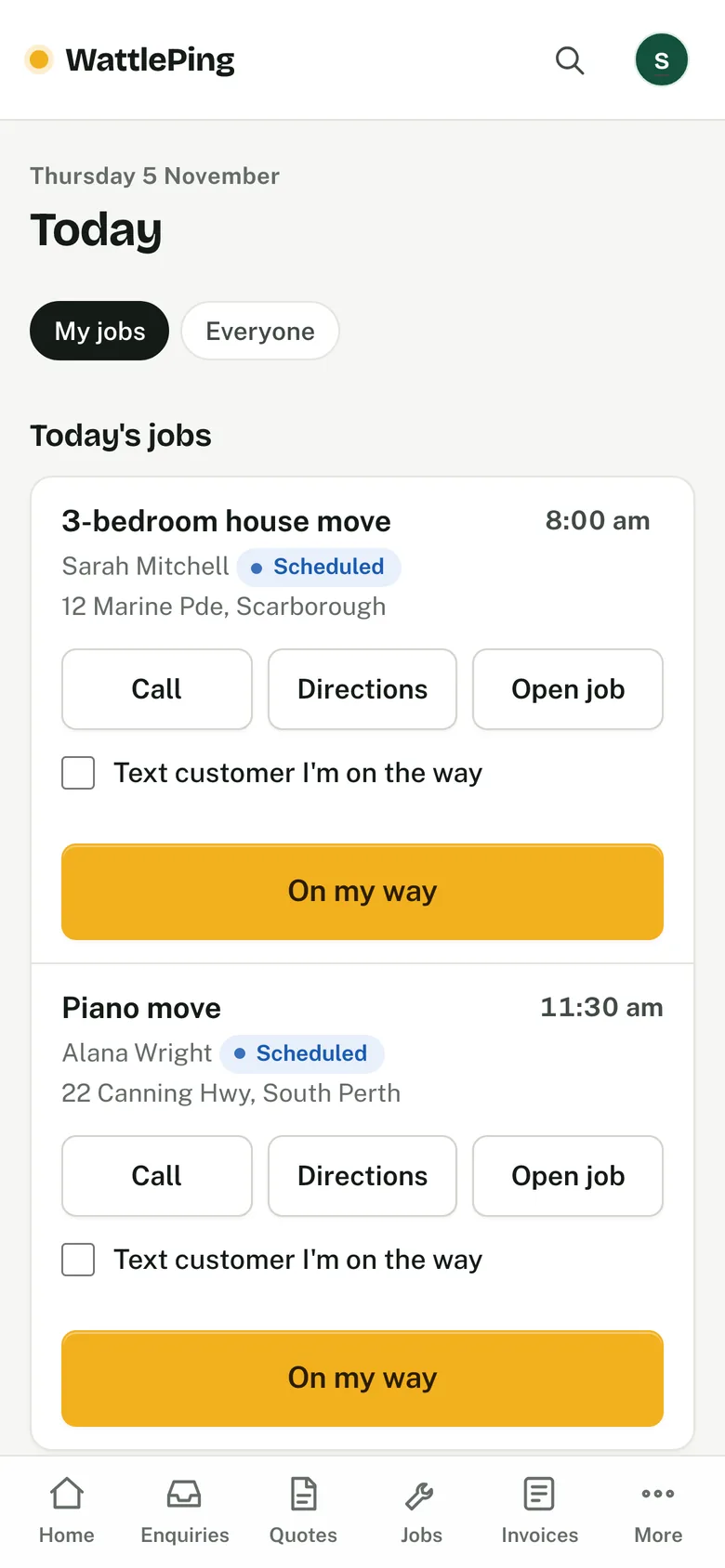
On the day, your crew open the Today screen on their phone: directions, an optional "on my way" text (with the Phone number add-on), photos, the checklist, and the customer's sign-off.
4. One tap turns the job into an invoice
The quote's lines are already filled in, so you only change what changed on site. It goes out as a tax invoice with your ABN and the GST shown.
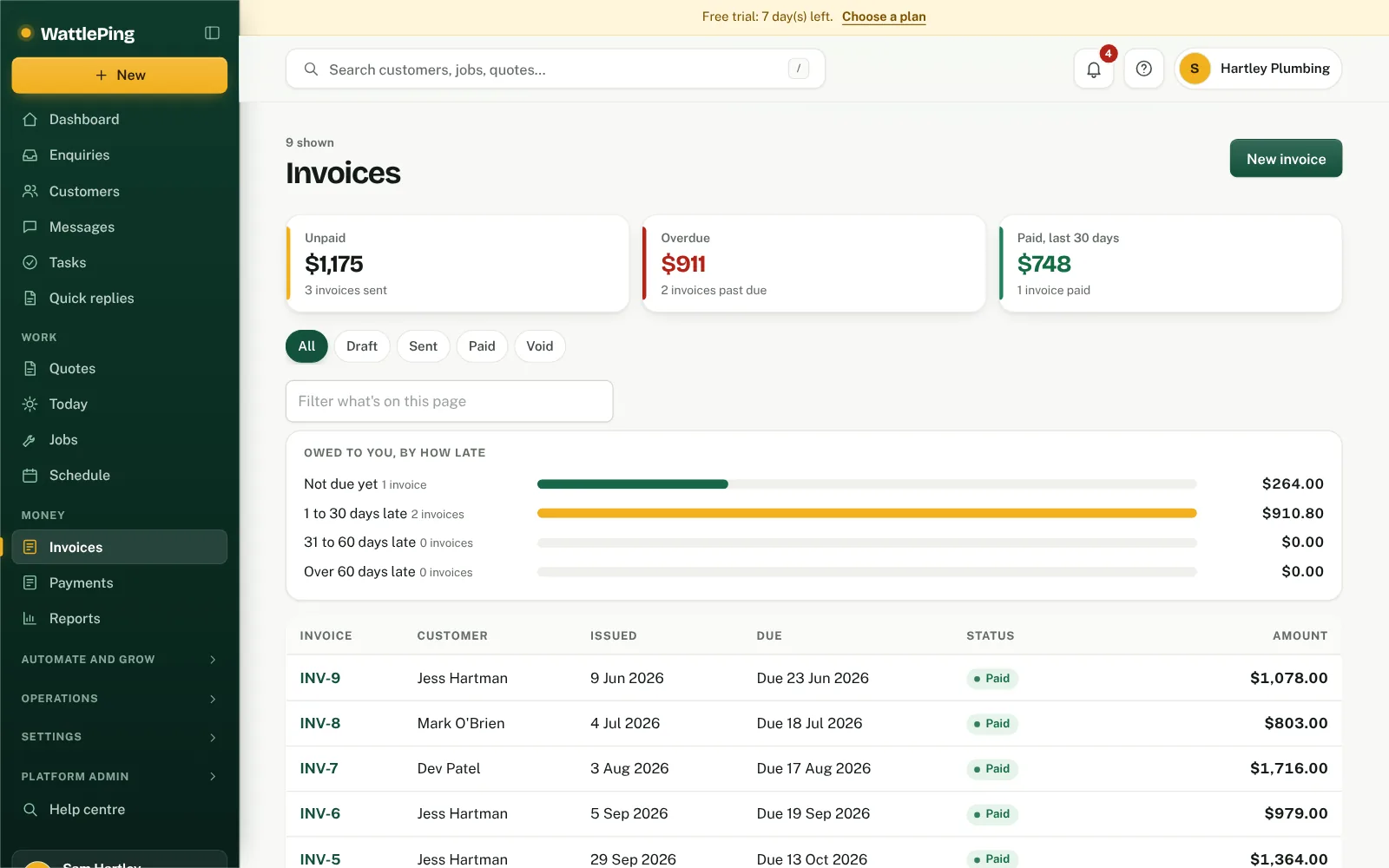
If it's not paid, and you've switched reminders on, the customer gets a friendly reminder 3 days after it's due and another 7 days after that. The reminders stop as soon as it's paid.
5. Paid, and on to the next one
Mark it paid when the money lands, or let the customer pay by card from the invoice link. Reports show what came in, what's overdue and which quotes you won.
More: all features · WattlePing for removalists · free quote generator.